
MailerLite for Traditional Chinese newsletters: samples and a setup checklist
Check the fonts and mobile layout, then follow the whole path from signup to unsubscribe.
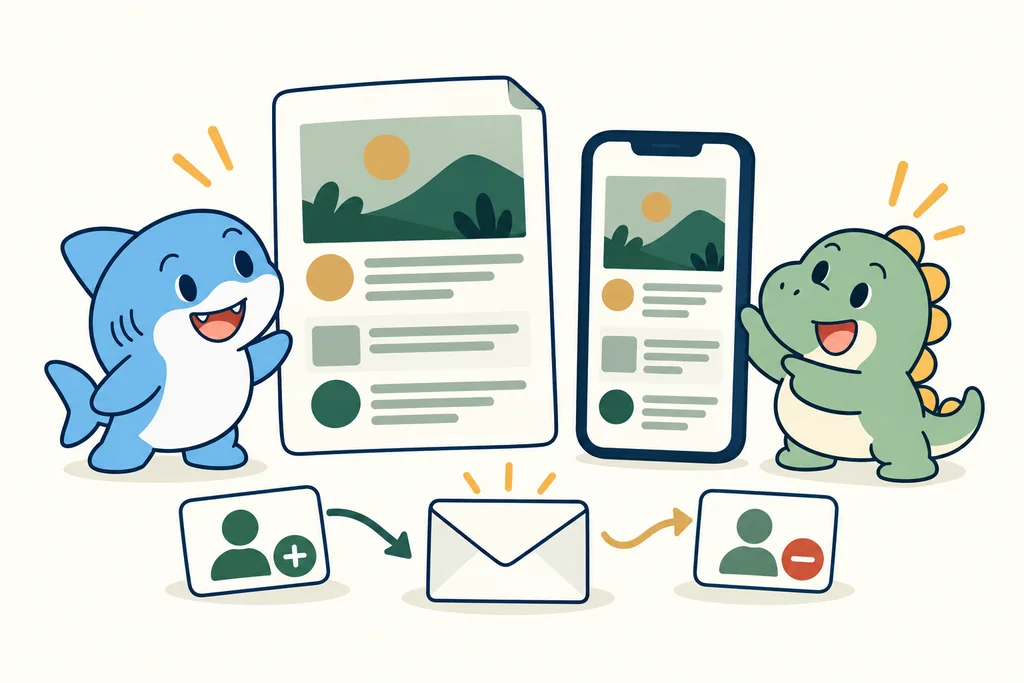
Check the allowance before you start
MailerLite Free currently includes 250 subscribers and 2,500 emails a month. Comfort starts at $12 a month. Use the plan selector to check your list size, sending allowance and payment schedule.
Try your own Chinese sample
An editor and its interface language do not guarantee Traditional Chinese display in every inbox. Use the same Chinese sample below; record layout and subscriber actions separately. We have not sent a test email or tested signup or unsubscribe for this article.
A Traditional Chinese sample and four-station checklist
The subject and body stay in Traditional Chinese in all seven versions of this guide. They include fictional names, full-width punctuation and English product names; they are editorial samples, not MailerLite interface screenshots.
Copy the subject
【測試專用】陳怡君,你好!MailerLite 繁中排版檢查:全形標點、長主旨與手機換行
Copy the body
陳怡君,你好:

這是一份繁體中文排版測試樣本,不是正式電子報。
測試姓名:陳怡君、林志明(皆為虛構示例)。

本週練習:用 MailerLite 整理一段繁中內容,並保留 English 產品名 Google Sheets、Make 與 Zapier。
請看看這些全形標點:「引號」、(括號)、逗號,句號。問號?驚嘆號!

這一行刻意比較長,請在桌面與手機查看文字如何換行,英文產品名是否完整,中文姓名和標點是否仍然可讀。

這份樣本沒有產品優惠、報價或分潤連結。
檢查完成後,請記錄實際畫面;尚未查看的項目保留「未測」。
Paste the subject into the subject field and the body into the message area. Keep the editor's actual unsubscribe footer; the sample does not supply a working unsubscribe link. Do not add real subscriber data to this template.
Record the admin interface language, the message language and reader-facing form/page language separately. A Chinese body does not prove a Chinese admin interface or correct display in every email client.
Record each station before marking it passed
| Station | What to check | Pass criterion | Status | Observation / date / environment |
|---|---|---|---|---|
| Desktop message | Subject, full-width punctuation, fictional Chinese names, product names, fallback fonts and line breaks in the chosen email client. | The displayed text matches the sample and is readable in the recorded client; unexplained missing or broken characters remain unresolved. | Untested | Not recorded |
| Mobile message | The same text on the chosen device: readable characters, natural line breaks, complete link labels and no clipped content. | The recorded mobile view is readable without unintended horizontal scrolling or missing text. | Untested | Not recorded |
| Signup and confirmation | Form labels, success page and the actual single/double opt-in setting. If double opt-in is enabled, inspect the confirmation message and resulting subscriber status. | The page and subscriber state match the chosen opt-in setting; the confirmation step is checked when enabled. | Untested | Not recorded |
| Unsubscribe | Actual footer link, resulting page, stated opt-out scope and subscriber/group status. A preview test email is not a functional unsubscribe test. | The reader sees what was stopped, and the recorded subscriber/group state matches that scope. | Untested | Not recorded |
Leave Untested until you inspect that station. Mark Passed only for the recorded environment; otherwise record the issue. Note date, email client/browser, screen size, plan/version and the next action. Passing one station does not pass the other three or prove delivery rates.
Official test-email guidance separates layout previews from working subscriber actions. Any later functional check needs an isolated test subscriber and a regular campaign, limited to addresses you control. We have not done or sent that check. Test email limitations.
Editing confirmation emails and unsubscribe pages has plan restrictions. Check the linked official documents before promising a fully Chinese journey; this guide does not verify every plan or language option. Double opt-in and confirmation · Unsubscribe page settings.
Existing plan/price evidence retains its 2026-10-03 date and was not rechecked here. The official workflow documents below were checked on 2026-10-04 21:44:29 +08:00; this is a document check, not a product test.
Copy the four-station record
Copy the CSV into your own record. The initial status is Untested and observation fields are empty; no subscriber email address is required.
station_key,station_label,check,pass_criterion,status,observation,checked_at,email_client_or_browser,screen_size,plan_or_version,issue,next_action
desktop,Desktop message,"Subject, full-width punctuation, fictional Chinese names, product names, fallback fonts and line breaks in the chosen email client.",The displayed text matches the sample and is readable in the recorded client; unexplained missing or broken characters remain unresolved.,Untested,,,,,,,
mobile,Mobile message,"The same text on the chosen device: readable characters, natural line breaks, complete link labels and no clipped content.",The recorded mobile view is readable without unintended horizontal scrolling or missing text.,Untested,,,,,,,
signup_confirmation,Signup and confirmation,"Form labels, success page and the actual single/double opt-in setting. If double opt-in is enabled, inspect the confirmation message and resulting subscriber status.",The page and subscriber state match the chosen opt-in setting; the confirmation step is checked when enabled.,Untested,,,,,,,
unsubscribe,Unsubscribe,"Actual footer link, resulting page, stated opt-out scope and subscriber/group status. A preview test email is not a functional unsubscribe test.","The reader sees what was stopped, and the recorded subscriber/group state matches that scope.",Untested,,,,,,,
What this means for you
A plan that fits your list still needs a language check. Test the reader’s whole journey before inviting subscribers.
- 1Name the task
- 2Try one workflow
- 3Add up the cost
- 4Check again before renewal
What to write down when you try it
- Your plan and its current limits: check the official documentation.
- How long setup, troubleshooting and monthly upkeep take.
- What works, what fails, and how you get it running again.
- The renewal date, how to export your data, and how to cancel.
If your process keeps changing, you can’t estimate usage, or no one can look after the setup, pause before subscribing. Keep a manual way to do the job while you try a tool.
Check the sources
Plans / products · Plans / products
Before you pay
Check today’s limits, the renewal price and how to export your data. These links go straight to the providers; affiliate links will be labelled separately.